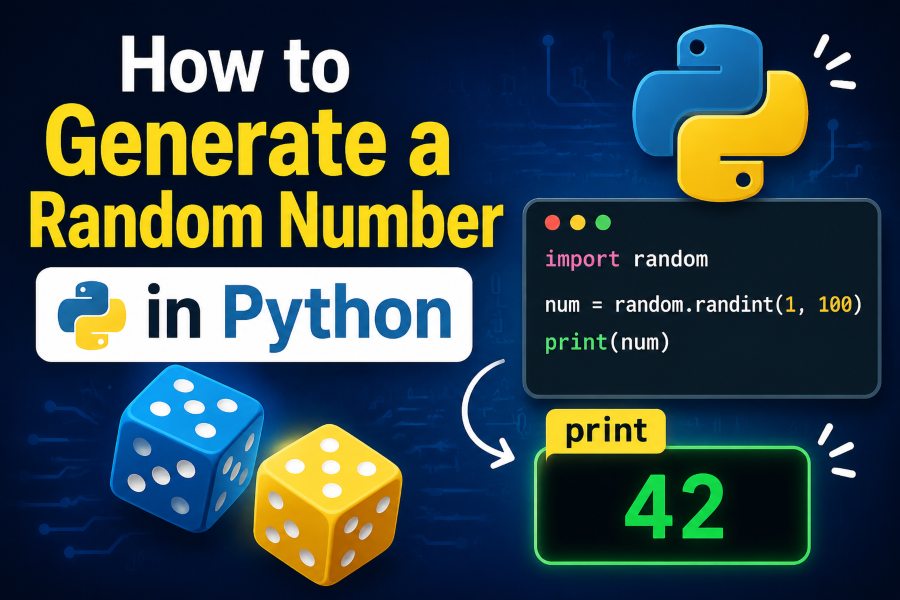
Generating random numbers is a common programming task. Developers use random values in games, simulations, testing environments, data analysis, password systems, and applications that need unpredictable results.
Python makes random number generation simple through its built-in random module. You can generate random integers, decimal numbers, numbers from a specific range, or multiple random values with only a few lines of code.
The most basic way to generate a random number in Python is:
import random

number = random.randint(1, 10)
print(number)
This code generates a random integer between 1 and 10. Both 1 and 10 can appear in the result.
However, Python offers several random-number functions, and each one works differently. Choosing the correct method depends on whether you need an integer, floating-point number, secure value, random list item, or repeatable result.
This guide explains how to generate a random number in Python using practical examples that beginners and experienced developers can apply in real projects.
What Is a Random Number in Python?
A random number is a value selected from a specified range without following an obvious predictable sequence.
Python’s standard random module generates pseudo-random numbers. These values appear random, but they are created through a deterministic mathematical process. Python’s standard generator is suitable for games, simulations, sampling, testing, and many everyday programming tasks. It should not be used for passwords, authentication tokens, or other security-sensitive purposes.
For example, a program may randomly choose:
- A number between 1 and 100
- A decimal between 0 and 1
- A product from a list
- A playing card
- A quiz question
- A test record
- A game character’s movement
- A winner from a group of participants
The Python standard library includes the random module by default. Therefore, you do not need to install an external package for basic random number generation.
How to Import the Python Random Module
Before using most random-number functions, import the random module:
import random
You can then call its functions by placing random. before the function name:
import random

print(random.randint(1, 50))
Another option is to import a specific function:
from random import randint

print(randint(1, 50))
Importing the entire module is usually clearer for beginners because it shows where the function comes from and reduces the possibility of naming conflicts.
How to Generate a Random Integer in Python
Use random.randint() when you need a whole number within a particular range.
The syntax is:
random.randint(start, end)
The starting and ending numbers are both included in the possible results.
Here is an example:
import random

random_number = random.randint(1, 100)
print(random_number)
The output might be:
47
Running the program again may produce a different result, such as:
82
According to Python’s documentation, randint(a, b) returns an integer between a and b, including both endpoints. It is effectively an alias for randrange(a, b + 1).
Generate a Random Number Between 1 and 10
import random

number = random.randint(1, 10)
print(number)
Possible results include every integer from 1 through 10.
Generate a Random Number Between 100 and 500
import random

number = random.randint(100, 500)
print(number)
This approach is useful for generating scores, quantities, IDs for temporary testing, and simulated measurements.
Generate a Random Negative Number
The range can also contain negative numbers:
import random

number = random.randint(-20, -1)
print(number)
You can generate a value across negative and positive ranges as well:
import random

number = random.randint(-100, 100)
print(number)
In this example, zero is also a possible result.
How to Generate a Random Number with randrange()
The random.randrange() function selects a number from a range. Its behavior is similar to Python’s built-in range() function.
The basic syntax is:
random.randrange(start, stop, step)
The start value is included, but the stop value is excluded.
import random

number = random.randrange(1, 10)
print(number)
This code can return an integer from 1 through 9. It will not return 10.
Python defines randrange() as selecting an element from a range with the provided starting value, stopping value, and optional step.
Generate a Random Even Number
Use the step argument to limit the possible results:
import random

even_number = random.randrange(2, 21, 2)
print(even_number)
Possible results are:
2, 4, 6, 8, 10, 12, 14, 16, 18, 20
Generate a Random Odd Number
import random

odd_number = random.randrange(1, 20, 2)
print(odd_number)
Possible results are odd numbers from 1 through 19.
randint() vs. randrange()
The most important difference is how the ending value is handled.
random.randint(1, 10)
This can return 10.
random.randrange(1, 10)
This cannot return 10.
Use randint() when you want a simple inclusive range. Use randrange() when you need range-style behavior or a custom step.
How to Generate a Random Decimal Number
Use random.random() to generate a floating-point number from 0.0 up to, but not including, 1.0.
import random

number = random.random()
print(number)
A possible output is:
0.638472915
The random() function returns a floating-point value in the semi-open interval from 0.0 through values below 1.0.
This function is useful for probability calculations. For example, you can simulate an event with a 30% chance of occurring:
import random

if random.random() < 0.30:
    print("The event occurred.")
else:
    print("The event did not occur.")
Because the generated value falls between 0 and 1, comparing it with 0.30 creates an approximately 30% probability.
How to Generate a Random Float Within a Range
Use random.uniform() when you need a decimal number between two specified values.
import random

number = random.uniform(1.5, 9.5)
print(number)
A possible output is:
6.274839
The syntax is:
random.uniform(a, b)
This function is commonly used for simulated prices, temperatures, distances, percentages, and measurements.
For example:
import random

temperature = random.uniform(20.0, 35.0)
print(f"Temperature: {temperature:.2f}°C")
The formatting expression .2f limits the displayed result to two decimal places.
A possible output is:
Temperature: 28.46°C
You can also use round():
import random

price = round(random.uniform(10, 100), 2)
print(price)
This produces a random price with two decimal places.
How to Generate Multiple Random Numbers in Python
A loop or list comprehension can generate several random values.
Generate Random Numbers with a Loop
import random

for _ in range(5):
    print(random.randint(1, 100))
This prints five random integers.
The underscore is commonly used when the loop variable itself is not needed.
Generate Random Numbers with a List Comprehension
import random

numbers = [random.randint(1, 100) for _ in range(5)]
print(numbers)
A possible output is:
[18, 73, 41, 96, 25]
Duplicate values may appear because every call is independent.
Generate Unique Random Numbers
Use random.sample() when every selected number must be unique:
import random

numbers = random.sample(range(1, 101), 5)
print(numbers)
A possible result is:
[12, 67, 91, 34, 8]
The function selects five unique values from the range of 1 through 100. Sampling without replacement means a selected value cannot be selected again in the same result.
The requested sample size cannot be larger than the available population:
random.sample(range(1, 6), 10)
This produces an error because the range contains only five numbers.
How to Select a Random Item from a List
Random selection is not limited to numbers. The random.choice() function selects one item from a non-empty sequence.
import random

colors = ["red", "blue", "green", "yellow"]
selected_color = random.choice(colors)

print(selected_color)
A possible output is:
green
This is helpful for selecting random names, products, quiz questions, actions, or game elements.
Select a Random Number from a Custom List
import random

numbers = [10, 25, 50, 100, 500]
selected_number = random.choice(numbers)

print(selected_number)
Unlike randint(), this method only chooses from the exact values inside the list.
Select Multiple Items with Replacement
Use random.choices() to select multiple items while allowing duplicates:
import random

numbers = [10, 20, 30, 40, 50]
results = random.choices(numbers, k=3)

print(results)
A possible result is:
[20, 20, 50]
The same item may appear more than once.
Select Multiple Unique Items
Use random.sample() when duplicates are not allowed:
import random

numbers = [10, 20, 30, 40, 50]
results = random.sample(numbers, k=3)

print(results)
A possible output is:
[40, 10, 30]
How to Generate a Random Number Using a Seed
Random seeds make generated results repeatable.
import random

random.seed(10)
print(random.randint(1, 100))
Running this code repeatedly with the same Python environment and seed allows a reproducible sequence of values.
A seed is useful for:
- Testing an application
- Debugging inconsistent behavior
- Reproducing simulations
- Demonstrating code
- Comparing algorithms
- Creating predictable test data
Consider this example:
import random

random.seed(25)

numbers = [random.randint(1, 100) for _ in range(5)]
print(numbers)
Using the same seed before generating the sequence makes it possible to reproduce that sequence.
However, setting a seed does not make the generator more secure. It does the opposite by making its sequence reproducible. Therefore, seeded values should not be used for passwords or authentication tokens.
How to Generate a Secure Random Number in Python
The random module is not designed for cryptographic security. Use Python’s secrets module when generating passwords, reset tokens, verification codes, authentication values, or other security-sensitive data. Python specifically recommends secrets for cryptographically strong randomness.
Generate a Secure Number Below a Limit
import secrets

number = secrets.randbelow(100)
print(number)
This returns a secure integer from 0 through 99.
To generate a secure number between 1 and 100:
import secrets

number = secrets.randbelow(100) + 1
print(number)
Generate a Secure Six-Digit Code
import secrets

code = secrets.randbelow(900000) + 100000
print(code)
The result will always be a six-digit integer from 100000 through 999999.
For real authentication systems, additional protections are necessary, including expiration times, attempt limits, secure storage, and protection against replay attacks.
Select a Secure Random Item
import secrets

characters = "ABCDEFGHIJKLMNOPQRSTUVWXYZ0123456789"
character = secrets.choice(characters)

print(character)
The secrets.choice() function securely selects an item from a non-empty sequence.
How to Build a Random Number Generator Program
You can combine user input with randint() to create a simple custom generator.
import random

try:
    minimum = int(input("Enter the minimum number: "))
    maximum = int(input("Enter the maximum number: "))

    if minimum > maximum:
        print("The minimum cannot be greater than the maximum.")
    else:
        result = random.randint(minimum, maximum)
        print(f"Random number: {result}")

except ValueError:
    print("Please enter valid whole numbers.")
This program:
- Requests a minimum value.
- Requests a maximum value.
- Converts both inputs into integers.
- Checks that the range is valid.
- Generates and prints a random number.
- Handles invalid text input.
Input validation is important because int() raises a ValueError when the user enters something that cannot be converted into a whole number.
How to Simulate a Dice Roll in Python
A standard six-sided die has possible values from 1 to 6.
import random

dice_roll = random.randint(1, 6)
print(f"You rolled: {dice_roll}")
To roll two dice:
import random

die_one = random.randint(1, 6)
die_two = random.randint(1, 6)
total = die_one + die_two

print(f"First die: {die_one}")
print(f"Second die: {die_two}")
print(f"Total: {total}")
This type of logic can be used in board games, probability demonstrations, and simple simulations.
How to Simulate a Coin Toss
A coin has two possible outcomes.
import random

result = random.choice(["Heads", "Tails"])
print(result)
You can simulate multiple tosses with a list comprehension:
import random

results = [random.choice(["Heads", "Tails"]) for _ in range(10)]
print(results)
To count each outcome:
import random

results = [random.choice(["Heads", "Tails"]) for _ in range(100)]

heads = results.count("Heads")
tails = results.count("Tails")

print(f"Heads: {heads}")
print(f"Tails: {tails}")
The counts will often be close, but they are not guaranteed to be exactly equal.
How to Shuffle Numbers Randomly
Use random.shuffle() to rearrange the items in a mutable list.
import random

numbers = [1, 2, 3, 4, 5]
random.shuffle(numbers)

print(numbers)
A possible result is:
[4, 1, 5, 2, 3]
The function changes the original list directly instead of returning a new shuffled list.
To preserve the original list, make a copy first:
import random

original_numbers = [1, 2, 3, 4, 5]
shuffled_numbers = original_numbers.copy()

random.shuffle(shuffled_numbers)

print("Original:", original_numbers)
print("Shuffled:", shuffled_numbers)
Common Random Number Generation Mistakes
Forgetting to Import random
This code fails:
print(random.randint(1, 10))
The module must be imported first:
import random

print(random.randint(1, 10))
Expecting randrange() to Include the Stop Value
random.randrange(1, 10)
The possible results are 1 through 9, not 1 through 10.
Use this when 10 must be included:
random.randint(1, 10)
Using random for Passwords
Avoid using code such as this for a secure password or token:
import random

token = random.randint(100000, 999999)
Use secrets for security-related randomness:
import secrets

token = secrets.randbelow(900000) + 100000
Requesting Too Many Unique Values
This fails because only ten unique values exist:
import random

numbers = random.sample(range(1, 11), 20)
The sample size must not exceed the available population.
Accidentally Reseeding Repeatedly
Avoid resetting the same seed before every generated value:
import random

for _ in range(5):
    random.seed(10)
    print(random.randint(1, 100))
This repeatedly resets the generator and may produce the same result each time. Set the seed once before generating the sequence.
Which Python Random Function Should You Use?
Choose the function according to your required output:
- Use
random.randint(a, b)for an integer with both limits included. - Use
random.randrange(start, stop, step)for range-style selection. - Use
random.random()for a decimal from 0.0 up to, but not including, 1.0. - Use
random.uniform(a, b)for a decimal within a custom range. - Use
random.choice(sequence)for one random item. - Use
random.choices(sequence, k=n)for multiple selections with possible duplicates. - Use
random.sample(sequence, k=n)for multiple unique selections. - Use
random.shuffle(list)to rearrange a list. - Use
secrets.randbelow(n)orsecrets.choice()for security-sensitive values.
Frequently Asked Questions
How do I generate a random number from 1 to 10 in Python?
Use random.randint(1, 10):
import random

number = random.randint(1, 10)
print(number)
Both 1 and 10 are included.
How do I generate a random number from 0 to 9?
Use random.randrange(10):
import random

number = random.randrange(10)
print(number)
You can also use random.randint(0, 9).
How do I generate a random decimal in Python?
Use random.random() for a decimal between 0 and 1:
import random

print(random.random())
Use random.uniform() for a custom decimal range.
How do I generate five random numbers?
Use a list comprehension:
import random

numbers = [random.randint(1, 100) for _ in range(5)]
print(numbers)
Duplicates are possible.
How do I generate random numbers without duplicates?
Use random.sample():
import random

numbers = random.sample(range(1, 101), 5)
print(numbers)
Is Python’s random module truly random?
The standard random module generates pseudo-random numbers using an algorithm. It is suitable for simulations, games, sampling, and testing, but not for cryptographic security.
What should I use for secure random numbers?
Use the secrets module for passwords, authentication codes, security tokens, and similar sensitive values.
Conclusion
Learning how to generate a random number in Python gives you a useful skill that applies to games, testing tools, simulations, data sampling, educational projects, and many other applications.
For a basic integer, random.randint() is usually the easiest option:
import random

number = random.randint(1, 100)
print(number)
Use randrange() when you need range-style selection, random() or uniform() for decimal values, and sample() when you need several unique numbers.
The most important distinction is security. Python’s random module is appropriate for ordinary programming tasks, while the secrets module should be used when the result protects an account, password, token, or other sensitive information.
By choosing the correct function and understanding how its range works, you can create random-number features that are clear, reliable, and suitable for your Python project.